


.jpg)
.jpg)

Modern Door Handle: Discovering the Connected Lock
In a world where technology is omnipresent, even the most ordinary objects are transformed. Door handles, such a common yet indispensable element of our daily lives, are no exception to this rule. With the advent of connected locks, the simple action of opening a door allows us to enter the digital era: home automation systems, optimised home security and keyless access.
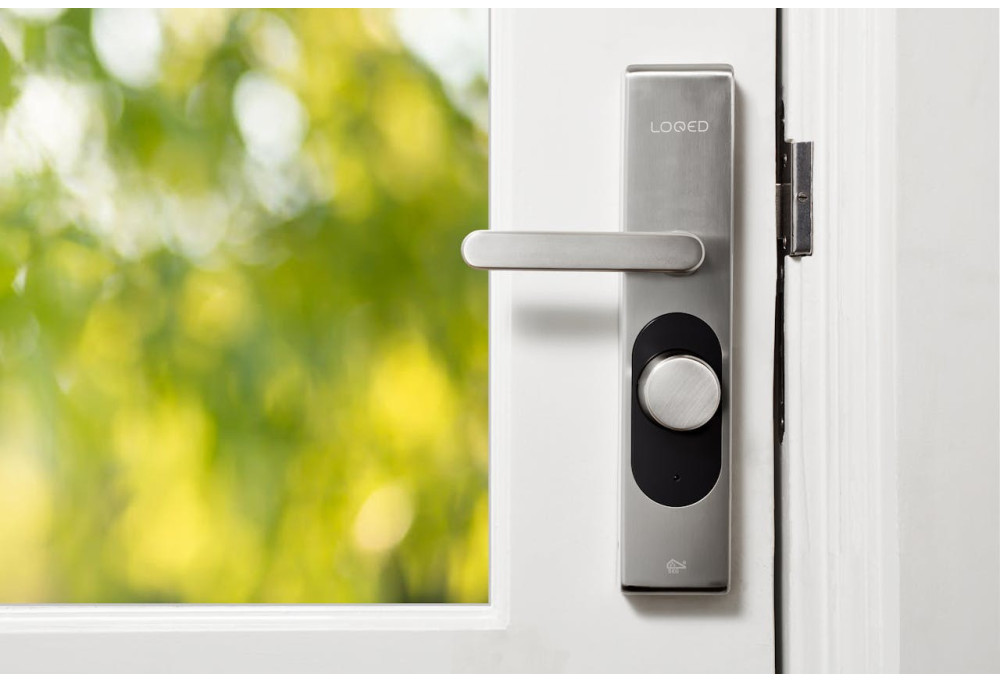
In a world where technology is omnipresent, even the most ordinary objects are transformed. Door handles, such a common yet indispensable element of our daily lives, are no exception to this rule. With the advent of connected locks, the simple action of opening a door allows us to enter the digital era: home automation systems, optimised home security and keyless access.
In a world where technology is omnipresent, even the most ordinary objects are transformed. Door handles, such a common yet indispensable element of our daily lives, are no exception to this rule. With the advent of connected locks, the simple action of opening a door allows us to enter the digital era: home automation systems, optimised home security and keyless access.
Like any innovation, this also raises new questions. How do they work? What are their advantages and disadvantages? How can they be integrated into our lives safely and effectively? All questions that deserve to be explored.
Discover in this article everything you need to know about connected locks. This innovation that is transforming our way of interacting with the spaces around us.
What is a connected lock?
A connected lock is an electronic locking device that can be controlled remotely with a smartphone or other connected device. It works by locking or unlocking a door after receiving a command from an electronic keypad, biometric sensor, access card, Bluetooth or Wi-Fi from an authorised mobile device. In the event of a power failure, some manufacturers provide physical keys to unlock the door.
The different types of connected locks
There is a wide range of connected locks available on the market, including:
- Retrofit connected locks: These locks use the existing lock and add smart technology to it. You can use them in the same way as your existing locks. Your existing physical key that goes into the lock and turns the cylinder to unlock the door. They can also be operated electronically, often with a smart lock app on your phone, but can also be via a fob or keypad system.
- Native connected locks: These models require the installation of a completely new lock with a home automation mechanism and are therefore intelligent. They are generally larger and more visible than traditional models.
- Battery or electric locks: Connected locks are often powered by batteries, AA or AAA cells. However, there are other types of connected locks that use alternative power sources.
Here is a summary table of the different possible power supplies for a connected lock
| Power supply type | Description |
| Standard batteries (AA/AAA) | Powers most connected locks; Requires periodic battery replacement. |
| Solar | Uses integrated solar panels to recharge batteries; Environmentally friendly and autonomous. |
| Wired (mains power) | Works thanks to the domestic electrical network; Professional installation may be necessary; No need to replace batteries. |
| Hybrid | Combination of battery and mains power supply; Switches to mains power when battery is low for continuous operation. |
| Rechargeable (USB) | Uses rechargeable batteries; Can be recharged via USB; Offers flexibility in terms of recharging. |
The choice of type of connected lock will depend on your specific security and convenience needs.
How connected locks work
A connected lock pairs with your home Wi-Fi network, allowing it to receive the code or command from the smartphone to lock or unlock. Many models feature a digital keypad on the lock to enter a unique access code. If you are using a keyless model and the battery is flat, most offer some sort of way to manually power the lock; giving you enough power to get home.
Note: Connected locks are as secure as traditional locks. And you won't have to sacrifice security for convenience when adding a connected lock to your front door. Keyless models are increasingly popular, as they are often more difficult for a burglar to force than a standard lock. Indeed, without a keyhole, the lock mechanism cannot be picked.
How to choose a connected lock?
Connected locks combine design, security and technology. They symbolise a new stage in the evolution of our homes and offices, which are becoming increasingly intelligent. These devices not only offer high convenience, but also a major improvement in the security of our living and working spaces.
When choosing a connected lock, several criteria must therefore be taken into account to ensure that the product meets your specific needs.
Compatibility with your door and existing hardware
Before purchasing a connected lock, check whether it is compatible with your door dimensions and existing hardware. Some models are designed to fit your existing lock, whilst others require the installation of a completely new lock.
Integration with your smart home
If you have a smart home ecosystem, make sure the connected lock is compatible with your system. For example, some connected locks work with Amazon Alexa, Google Assistant, Apple HomeKit, and other third-party platforms.
Security features:
Connected locks offer various security features, such as the ability to:
- Remotely control the locking and unlocking of the door;
- Generate temporary access codes for guests;
- Receive real-time notifications about lock activity;
- Etc.
Note: Like all technologies using a network, they are susceptible to being hacked in the absence of adequate digital security measures.
Battery life
These types of locks generally operate using batteries whose lifespan varies according to the model, battery type and usage. Note that frequent use of your lock can significantly shorten this lifespan.
| Power supply type | Estimated battery life |
| Standard batteries (AA/AAA) | 6 months to 1 year |
| Solar | Up to 9 months on a single charge |
| Wired (mains power) | Potentially several years |
| Hybrid | Variable |
| Rechargeable (USB) | Variable |
Connection type
Connected locks can use different technologies to connect to your mobile device or home network:
- Bluetooth;
- Wi-Fi;
- Z-Wave technology;
- etc.
Note: Connectivity problems may appear due to poor or lack of Internet connectivity or outdated control applications. Then, other electronic devices could cause interference, such as microwaves, and should be kept away from your connected lock and your router.
Price
Connected lock prices vary depending on their features, brand, but also on the retailer's current promotions. Generally, this ranges from £65 to £175. However, some high-end locks can cost between £300 to £350 and even more. Set a budget and choose the lock offering the best value for money.
For more information, it is recommended to consult our website millapoignees.fr directly.
Installation and use of a connected lock
Installing a connected lock is relatively simple and can often be done with basic tools. Here are the general steps for installing a connected lock:
- Remove the old lock: Before you can install your new connected lock, you must remove the old one. This generally involves unscrewing two screws on the interior part of the lock and removing the latch assembly from the door.
- Install the new latch: Insert the latch of your new lock into the door frame, ensuring that the side marked "top" is facing upwards.
- Install the exterior part of the lock: Insert the exterior part of the lock into the door, passing the thin bar through the central hole of the latch assembly.
- Install the interior part of the lock: Attach the interior part of the lock to the exterior part, making sure to connect the electronic cable.
Configure the lock: Once the lock is installed, you will need to configure it using the corresponding app on your smartphone or other authorised connected device. This normally involves creating an account, adding the lock to your account and connecting it to your Wi-Fi or Bluetooth network.
Comments
No comments yet!
Leave your comment